

Epsilon 10 is now available. This page describes its new features. You can also see the features we added in older versions, or in Epsilon 11, Epsilon 12, Epsilon 13, or Epsilon 14. And here's how to order your update.
Epsilon 10 includes these operating system versions:
 indicates a feature is available in
both the 16-bit and 32-bit Windows versions of Epsilon.
indicates a feature is available in
both the 16-bit and 32-bit Windows versions of Epsilon.  indicates a feature is only available under Windows NT/2000
or Windows 95/98/ME.
indicates a feature is only available under Windows NT/2000
or Windows 95/98/ME.  indicates a feature is only available
under Linux or Unix.
indicates a feature is only available
under Linux or Unix.
|
|
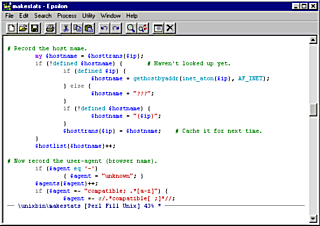
Alt-Q fills paragraphs
within block comments, preserving any prefix before each line.
Epsilon can also auto-fill comments as you type.
|
|
Alt-o offers quicker access to common directory
editor operations without running dired first. Delete, copy, rename,
view, show properties (etc.) with less typing.
GUI only.
Alt-| to process the current region through an external
command. By default, the external command's output goes to a new
buffer. Run filter-region with a numeric argument if you want the
output to replace the current region.
Alt-PageUp and Alt-PageDown
now page horizontally, instead of resizing the window horizontally.
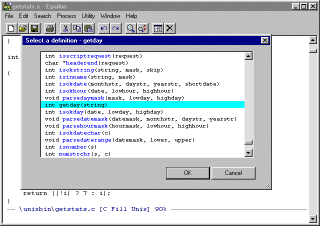
The new command jump-to-column on
Alt-g goes to a specified column.
:column number after either, as in 10:20 to
go to line 10, column 20.
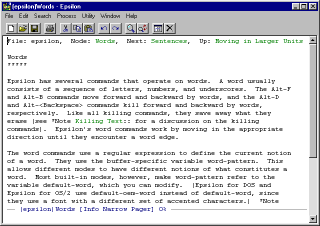 Epsilon includes an info file viewer. Press F1 i to start it.
-vx20 -vy30
positions the upper left corner of Epsilon's window at pixel
coordinates 20x30.
epsilon +10:20
filename
to go to line 10, column 20, in the indicated file.
*,
?, and [a-z] when specifying which buffers
to search and replace in.
Here's how to order your update.
Last Updated: 20 October 2020